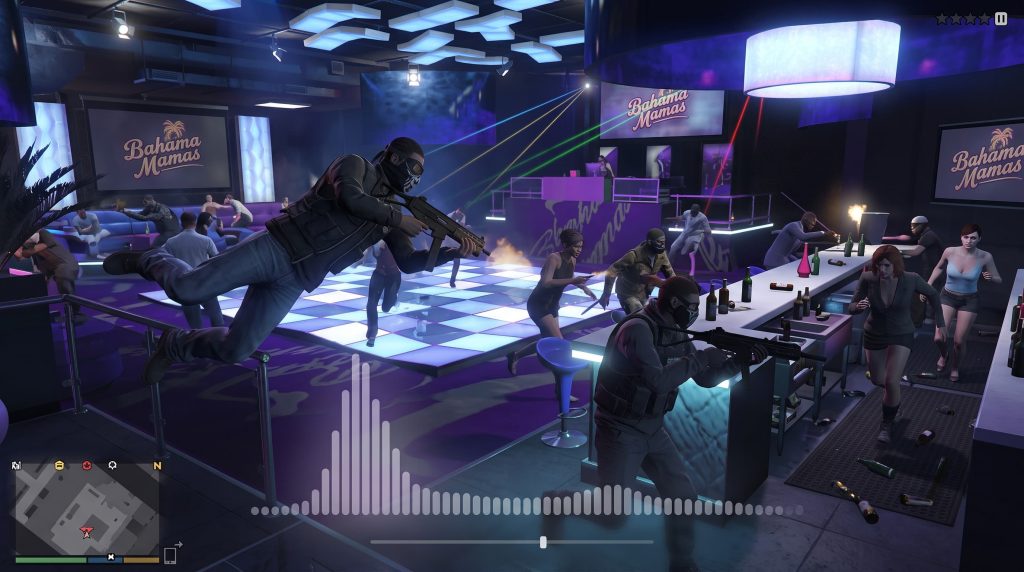

Custom FiveM Radio Server Hosting for GTA V RP
Take your GTA V roleplay server to the next level with fully custom in-game audio. Whether you want to broadcast a city-wide news station, add custom music to car radios, or host live DJ events at an in-game nightclub, you need reliable FiveM radio server hosting. Our cloud servers deliver ultra-low latency audio that integrates flawlessly with your favorite FiveM scripts.
Seamless Integration with FiveM Audio Scripts
FiveM server development can be complicated, but adding custom audio shouldn’t be. Our radio servers are built to provide the exact direct file formats your server scripts require to function perfectly.
100% Script Compatible
Our stream URLs work instantly with popular FiveM audio resources like xSound, pmms (Play Custom Media), Interact Sound, and custom car radio scripts.
Direct MP3 & OGG Output
FiveM engines require clean, direct audio feeds. We provide the pure .mp3 and .ogg direct listen links that bypass web players so your in-game scripts can read the audio data instantly.
Zero Buffering for Players
When a player tunes into your station via their car radio, the audio starts instantly. Our dedicated cloud containers ensure that even if your server has hundreds of active players, the audio stream will never lag or stutter.
Live In-Game Events & Seamless DJ Handoffs
Hosting an event at the Bahama Mamas club or the Diamond Casino? Your server’s DJs can broadcast live directly into the game.
Connect with Any Software
Your RP DJs can broadcast from their real-world PCs using Virtual DJ, OBS, or BUTT.
AutoDJ to Live Handoff
Our AzuraCast backend features intelligent source switching. When a live DJ connects, the automated playlist fades out. When the DJ disconnects, the AutoDJ takes right back over. Your in-game stream URL never breaks or disconnects.
Create Multiple City Stations
Don’t just settle for one station. With our Cloud Admin access, you can create a dedicated Hip-Hop station for the Southside, a Rock station for Sandy Shores, and an ambient track for the hospital—all from one hosting account!
Frequently Asked Questions
Q: Do your streams work with FiveM xSound and pmms scripts?
A: Yes! Our FiveM radio server hosting generates direct .mp3 and .ogg stream links, which are the exact formats required by xSound, pmms, and most custom car radio frameworks used in GTA V roleplay.
Q: How do I put the radio station into my FiveM server?
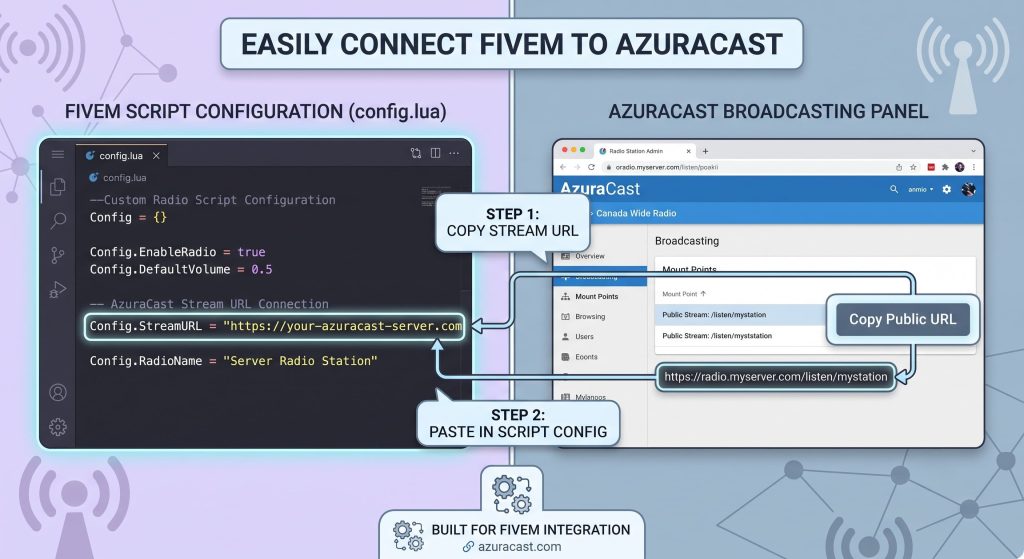
A: Inside your AzuraCast or CentovaCast control panel, you will copy your direct “Listen Link” (e.g., http://yourserver.com:8000/radio.mp3). You simply paste this URL into the configuration file (config.lua) of your chosen FiveM audio script.
Q: Will the music stop if nobody is broadcasting live?
A: No. Our servers include a built-in 24/7 AutoDJ. You can upload gigabytes of MP3s to your cloud storage and create automated playlists. The music will play continuously in your city even when no live DJs are online.
Q: Can multiple DJs share the same radio station?
A: No, because the audio is hosted on our dedicated streaming network, not your game server. Your FiveM server simply tells the player’s client where to find the audio, and the player downloads the stream directly from us. This keeps your game server’s CPU and bandwidth completely free.
Q: Do I need an HTTPS (SSL) stream link for xSound and pmms to work in FiveM?
A: Yes! Modern FiveM NUI and Chromium audio engines block unencrypted http:// streams as “mixed content.” All AZ-StreamingServer AzuraCast and CentovaCast plans come with free, pre-installed SSL certificates. We provide secure https:// stream URLs out of the box so xSound and pmms load your audio without console errors or silent failures.
Q: Should I use a web player link or a direct stream URL in xSound/pmms config files?
A: You must use a direct audio stream URL (e.g., https://yourserver.com/listen/station/radio.mp3). Do not use the web player page link. Our control panel clearly highlights your exact direct .mp3 and .ogg listen links so you can copy and paste them straight into your config.lua or in-game pmms UI without guessing.
Q: Does streaming music via xSound or pmms lower in-game FPS for players?
A: No. Hosting audio files directly inside a FiveM resource folder increases resource memory usage (/resmon) and causes texture loss or FPS drops when downloading large files. Offloading your audio to our dedicated stream server means the game client fetches a lightweight stream URL, keeping FiveM resource usage virtually at zero.
Q: How does xSound handle 3D spatial audio and volume attenuation with your stream links?
A: xSound and pmms control volume, distance, and 3D spatial positioning on the client side using FiveM’s NUI browser framework. Our servers continuously send the high-bitrate audio stream, while the script dynamically adjusts the volume and 3D position based on where the player’s character or car is located relative to the speaker.
Q: Can I use one stream link across multiple xSound or pmms speakers in the city?
A: Yes! You can attach the same radio stream URL to hundreds of in-game locations—such as car radios, mechanic shops, nightclubs, and gas stations—simultaneously. All players tuning in will hear the exact same synced audio in real time.
Why Top RP Servers Choose AZ-StreamingServer
Don’t let your in-game audio run on the same overloaded server as your database and game files. Offloading your audio to our dedicated radio servers keeps your actual FiveM server’s CPU usage low, reducing game lag and desync for your players.
Want to learn more about optimizing FiveM audio? Check out the official FiveM Documentation