
Introduction Over 70% of internet radio listeners tune in using a mobile device. If someone clicks your station link on Twitter or Facebook and your player doesn’t load on their iPhone, you have lost a listener forever.
Old Flash players and pop-up windows are completely dead. In 2026, you need a responsive, secure HTML5 player.
Here are the three easiest ways to get a mobile-friendly player running for your AZ-StreamingServer hosted station in under 5 minutes.
Method 1: Use the Built-In Public Page (The Easiest Way) #
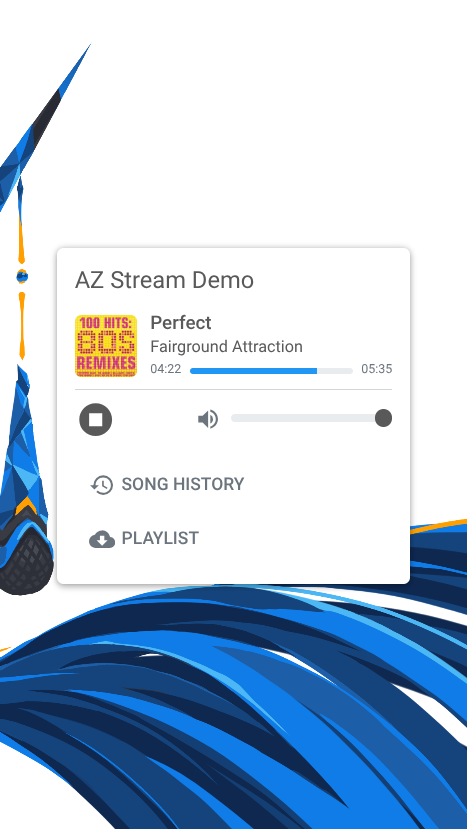
If you are hosting with AzuraCast or CentovaCast, you already have a beautifully designed, mobile-ready player built right into your server. You do not need to code anything.
AzuraCast: Go to your station dashboard and click Profile. On the right side, click the Public Page link. This page automatically scales to fit any phone screen and displays your album art beautifully.
CentovaCast: Log in and look at the “Quick Links” section. Click on your Start Page. It includes a responsive HTML5 player that works on all modern browsers.
How to use it: Simply copy that URL and share it on your social media profiles!
Method 2: Use the Embed Widget on Your Own Website #
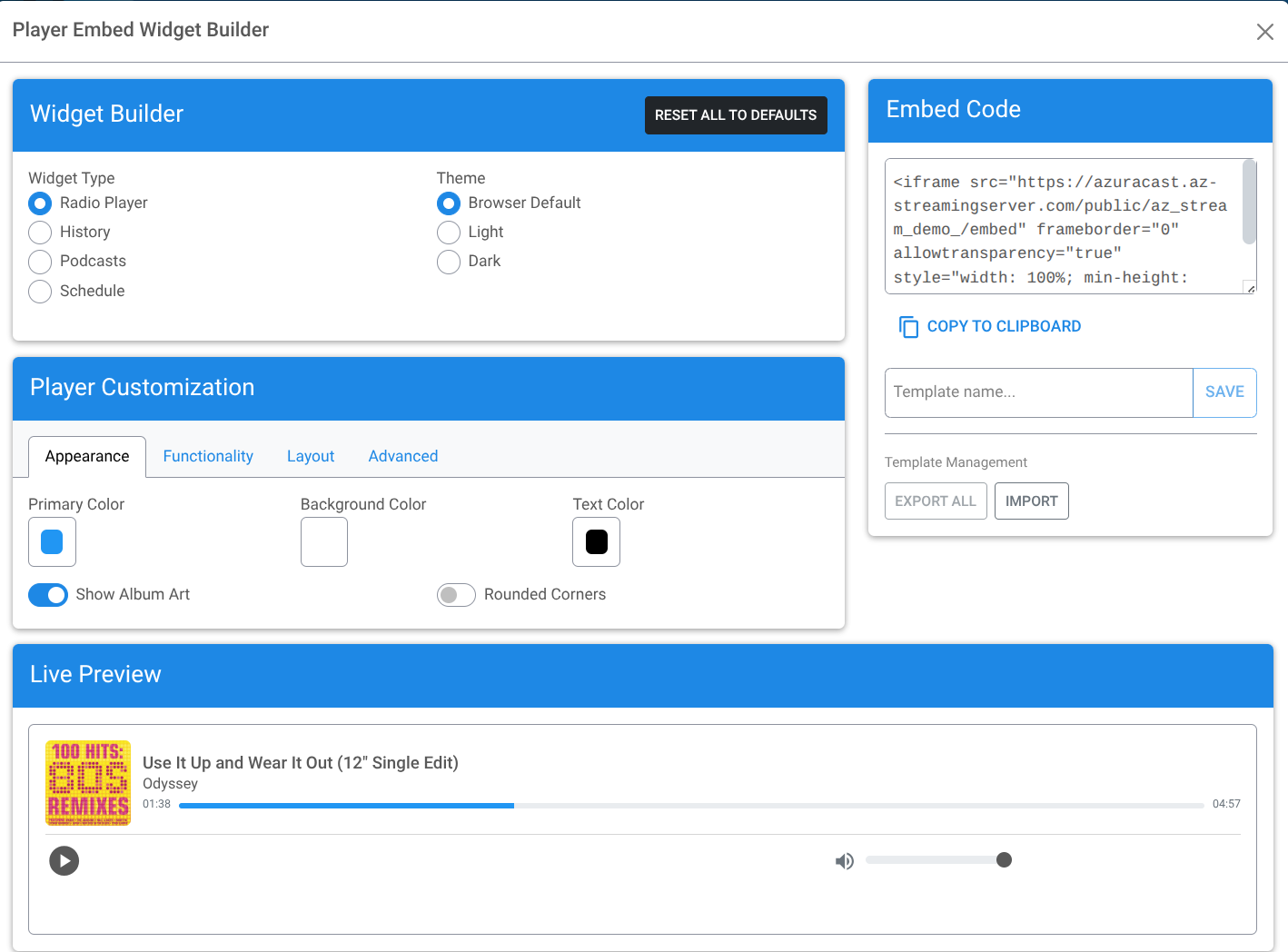
If you have your own WordPress or Wix website, you want listeners to stay on your domain. Both AzuraCast and CentovaCast provide ready-to-use embed codes.
1. Open your streaming control panel.
2. Navigate to the Widgets or Integration section.
3. Copy the <script> or <iframe> code provided.
4. Paste this code into an “HTML Block” on your website builder.
These widgets are natively responsive, meaning they will automatically shrink to fit perfectly on a smartphone screen without breaking your website’s layout.
Method 3: The Custom HTML5 Audio Tag #
If you want complete control over how your player looks, you can use the standard HTML5 audio tag. Modern mobile browsers (Safari, Chrome) handle this natively and flawlessly.
Paste this simple code into your website, replacing the URL with your secure stream link:
<audio controls preload="none" style="width: 100%;"> <source src="https://your-server.az-streamingserver.com:8000/radio.mp3" type="audio/mpeg"> Your browser does not support the audio element. </audio>
Note: The style="width: 100%;" part is the magic that makes it shrink or expand based on the user’s screen size.
⚠️ The Golden Rule: Your Stream Must Be HTTPS
Mobile browsers, especially Apple’s Safari on iOS, are extremely strict about security. If your website is secure (HTTPS) but your stream URL is not (HTTP), the browser will block the audio. This is called a “Mixed Content Error.”
If your player works on your desktop but fails on your phone, this is almost always the reason..
Is your stream being blocked by mobile browsers? #
Don’t lose listeners to outdated tech. Move to AZ-StreamingServer. Every hosting plan includes free Auto-SSL and 100% secure HTTPS stream links out of the box.


